Every tax filing for every client, in one place.
Upload the exports from your accounting software, check them before signing, sign them together and send. Receipts and mail land with the client they belong to.
Book a demo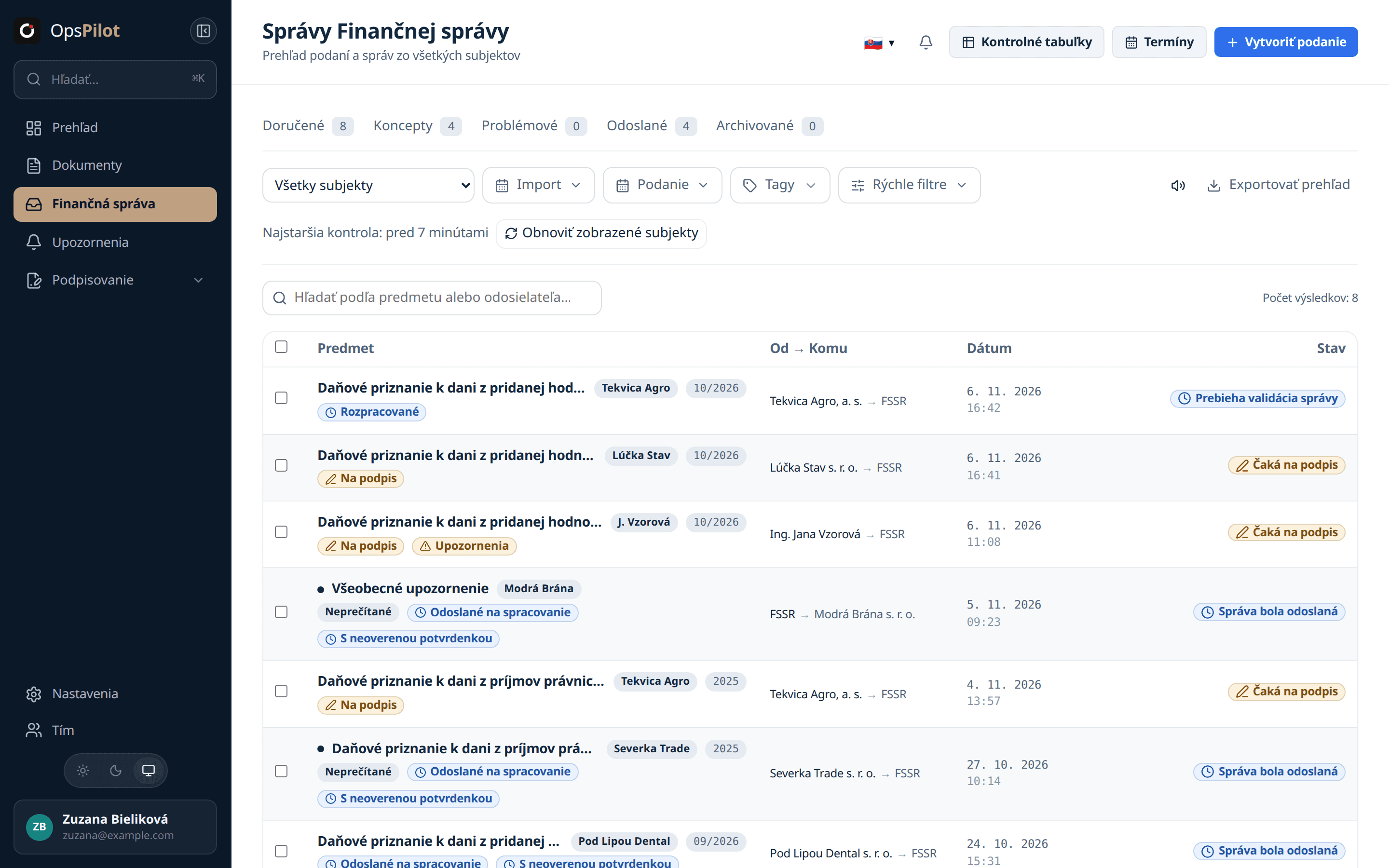
Less clicking, client by client.
- You upload and sign filings one at a time, client after client.
- You check for each receipt subject by subject.
- Who filed what for which period lives in an Excel sheet.
- You upload the exports for every client at once.
- You sign the whole batch at once.
- Receipts and mail find their client on their own.
Everything you do by hand around filings, in one place.
Every client in one inbox
Filings and Financial Administration mail for every subject, filtered by status.
Dozens of signatures in one session
Select the filings and sign them together. At the end you see a report for each filing: what was signed and what was not.
Receipts and mail without watching
OpsPilot waits for the receipt of every filing and checks for new mail for every subject. The original receipt stays stored with the filing.
A check register instead of Excel
Who filed what for which period, with Financial Administration values filled in automatically.
Nothing goes out on its own
OpsPilot never sends a filing on its own. A person signs and sends it. If the outcome of a send is unclear, the filing is not sent again until someone has checked it.
File for every client in one go. And know what the Financial Administration said back.
From export to receipt in three steps.
Upload and check
Drop in the XML exports from your accounting software, dozens at a time. OpsPilot recognises the form, the subject and the period, and checks the filing before you sign.
Sign together
Select the filings and sign them together, not one by one.
Send and get the receipt
Send them. OpsPilot waits for the receipt and stores it with the filing.
Signatures and documents for your clients.
A power of attorney, a bookkeeping contract or a handover record without a printer and without retyping.
Qualified signature
Sign any PDF with a qualified electronic signature. The signature is made on your computer and the private key never leaves it. If a document does not declare PDF/A, OpsPilot warns you before you sign.
Signature requests
Send your client a link. They sign from a phone or computer without an account. The link expires after 30 days and you can withdraw it at any time.
Documents from templates
Prepare the template once in Google Docs. Your client fills in their details through a form sent by email, and OpsPilot creates the finished document in Google Docs and shares it with your firm.
What accountants ask us.
Do I have to change my accounting software?
No. OpsPilot works with the XML files your accounting software exports for the Financial Administration.
Which filings does it handle?
VAT returns, VAT control statements and corporate income tax returns. In the demo we go through the forms you file.
What do I need to sign?
A free signing application on your computer and a qualified certificate, for example on an electronic ID card.
How does OpsPilot connect to the Financial Administration?
With your firm’s login for the Financial Administration portal. OpsPilot verifies it when you connect and stores it encrypted with a dedicated key.
Does OpsPilot send filings automatically?
No. A person signs and sends every filing. If the outcome of a send is unclear, OpsPilot does not send it again until someone has checked it.
How do I learn that a receipt or mail arrived?
OpsPilot attaches the receipt to the filing and notifies you in the app. New mail appears in the client’s inbox, marked unread.
Where is the data stored?
The database is in the EU. Some providers, for example Google for documents in Google Docs, also process data in the USA. Our subprocessor list names every one and where it processes data.
How much does it cost?
You pay per subject you manage. We give you the exact price in the demo.
We will show you on your own filings.
Write to us and we will walk through the whole flow together, from import to receipt.
Book a demo